 RajRebel Creations
Get the RRC AI Prompts appFree · opens in one tap from your home screen
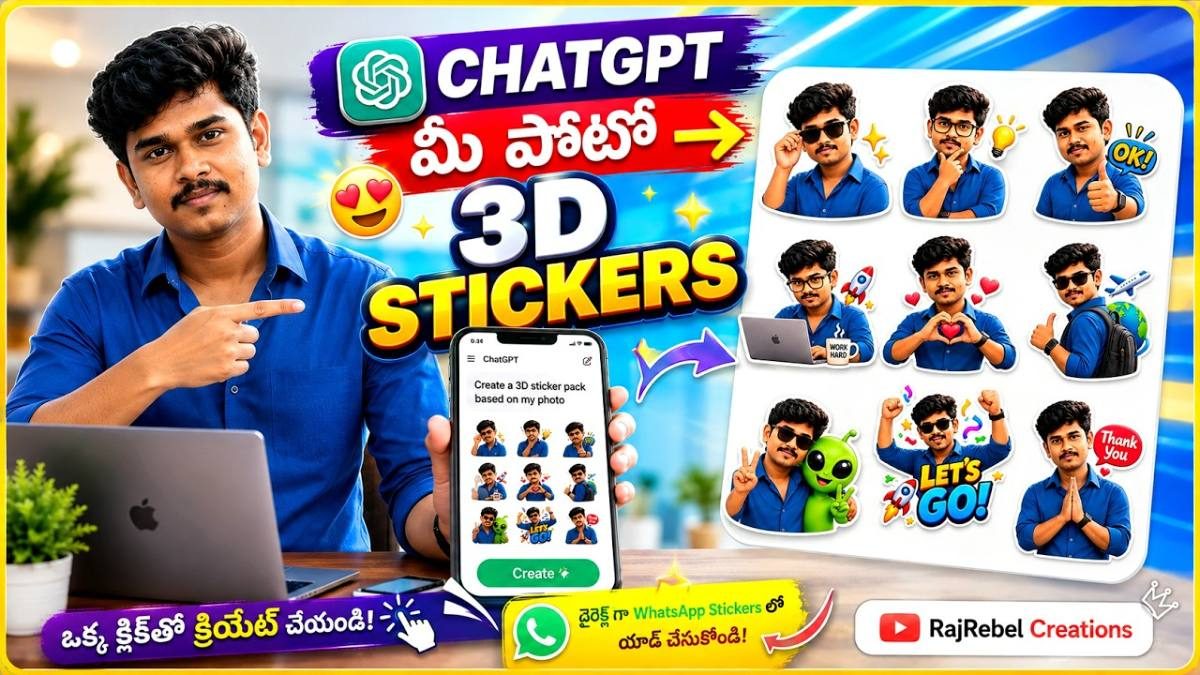
How to Create 3D Stickers from Your Photo Using ChatGPT
Want to turn your own photo into a collection of cool 3D stickers? In this tutorial, learn how to create personalized 3D cartoon-style stickers using ChatGPT. You can generate different expressions, poses and reactions such as laughing, smiling, thinking, thumbs up, praying and more, all from a single photo. This AI sticker creation trick is perfect for making unique WhatsApp stickers, sharing fun reactions with friends and creating personalized sticker packs. Just upload your photo to ChatGPT and use a suitable prompt to generate your sticker collection. Your face and identity will be preserved based on your reference photo.
Steps
1. Open ChatGPT on your phone or computer.
2. Upload one clear, front-facing photo of yourself.
3. Type a prompt asking for a set of 3D cartoon-style stickers of you with different expressions, like laughing, smiling, thinking, thumbs up and praying, as shown in the video.
4. Ask it to keep your face exactly like the uploaded photo, with a white or transparent background.
5. Send it and wait for the sticker sheet to generate.
6. Download the image and cut the stickers out using a sticker maker app.
7. Add them to WhatsApp as your own sticker pack.